How to Make a Website for Your Business in 2026: 8 Steps in the Right Order
Making a business website comes down to eight decisions, and the order you make them in decides what it costs you. Here is each step, what to pay for it, the mistakes we see most, and an honest way to decide whether to build it yourself or hire it out.

Step 1: Decide the One Thing the Website Has to Do
Before you pick a domain, a template or a colour, write down one sentence: when a stranger lands on this site, what do we want them to do? For most local businesses the answer is call, book, ask for a quote, or buy. A site built around one action looks different from a site built to have a web presence, and that difference is what separates a website that brings in work from one that just sits there.
Then write down who that stranger is and what they already know. A homeowner in Anaheim with water on the kitchen floor is not going to read your About page. A couple choosing a wedding photographer in Laguna Beach will look at every photo you have. Those two sites need different first screens, different pages and different buttons, and you cannot design either one until you know which you are building.
This step costs nothing and takes an evening. It is also the one most owners skip, which is how a business ends up rebuilding a website that is only a year or two old. Every later decision in this guide, from the platform to the number of pages, gets easier once the job is written down.
Step 2: Register the Domain in Your Own Name
The domain is the address people type, and it is the one part of a website you cannot simply rebuild if you lose it. Register it yourself, in an account under your own name and email address, with your own card on file. A .com typically runs $15 to $20 a year. If a designer, a relative or a marketing company offers to take care of it for you, thank them, register it yourself anyway, and then give them the access they need.
On the name itself: keep it short, easy to say out loud over the phone, and as close to the business name as you can get. Skip hyphens and clever spellings. If the exact name is taken, adding your city or your trade usually reads better than settling for an unusual ending. Then use that one name, spelled one way, everywhere: on the van, the invoices, the email addresses and the Google listing.
Once it is registered, confirm it. Type the name into ICANN's registration lookup and check that the registrant is you or your business. We wrote a separate guide for owners who found out too late that it was not, on what to do when a web designer owns your domain. It is a much easier problem to prevent than to fix.
Step 3: Choose How You Will Build It
There are three honest routes. The first is a website builder such as Wix, Squarespace or Shopify, where you pay a subscription, usually $16 to $40 a month, and build inside their system. The second is WordPress on hosting you rent yourself, which is more flexible and gives you more to look after. The third is a custom build by a designer or a studio, which costs more up front and far less of your own time.
A builder is the right call when the site is simple, you have the hours, and you are comfortable that the site lives inside that company's account and cannot be moved out as a working website. WordPress suits a business that expects to publish a lot. A custom build suits a business that needs the site to rank locally and turn visitors into calls, and would rather spend its hours on customers. Our comparison of AI website builders and hiring a web designer walks through that trade in detail.
Whichever route you take, find the year-two price before you commit. Hosting and builder plans are sold on an introductory rate, and the renewal is where the real cost shows up. We broke down what web hosting actually costs a small business, including the renewal traps, so you can do that arithmetic before you sign up rather than after.
Step 4: Plan the Pages Before You Design Anything
Sketch the site as a list of pages before you open any design tool. Most small businesses need a home page, a page for each main service, an about page and a contact page. A business that travels to its customers adds pages for the places it works. That usually comes to somewhere between five and twelve pages, and our guide to how many pages a small business website needs explains how to arrive at your own number.
The rule that matters most is one page for each thing a customer would search for. A roofer who lists re-roofs, repairs and gutters as three bullet points on a single page has given Google one page to show. The same roofer with a page for each has three. In our experience that is the biggest structural difference between small business sites that turn up in local search and the ones that do not.
Decide the menu at the same time. Five or six items is plenty, and they should be named with the words your customers use, not the words you use inside the business. If your paperwork says residential envelope solutions, the menu still says Roofing.
Step 5: Write the Words and Collect the Photos First
Content is what holds up most website projects, ours included. The design can be done in days. Waiting for the words and the pictures is what takes weeks. So write first. For each page, put down who it is for, what you do, where you do it, why someone should believe you, and what they should do next.
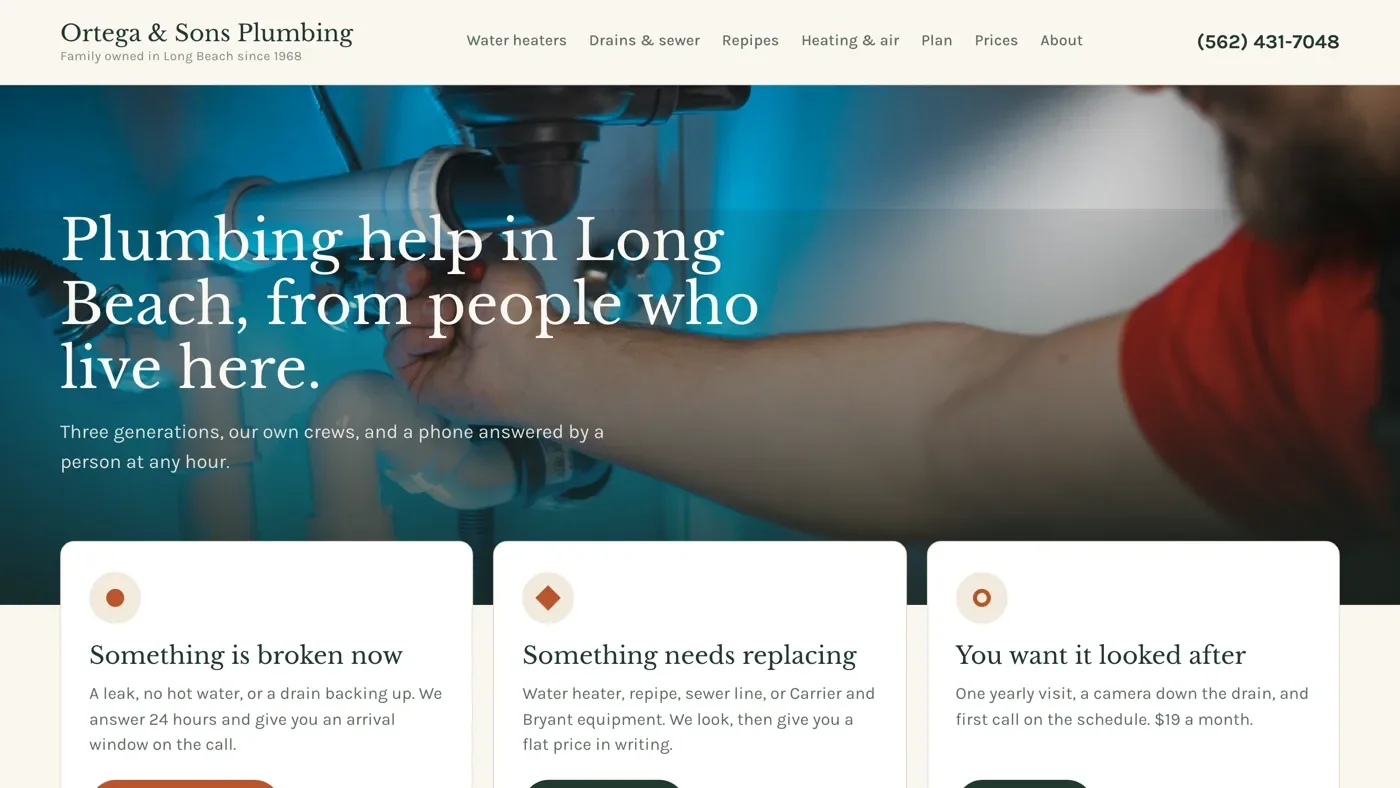
The first screen of the home page should answer three questions without any scrolling: what you do, where you do it, and how to reach you. A line like family-owned plumbing in Garden Grove, open 24 hours, with a phone number beside it, does more work than a paragraph about passion and excellence. Put the proof straight underneath: reviews, years in business, licences, and photos of real jobs.
Use your own photos wherever you can. A slightly imperfect picture of your actual crew, your shop or your finished work beats a stock photo of strangers shaking hands, because customers can tell the difference and because nobody else has that picture. A phone in good daylight is enough to take them.
Step 6: Design for the Phone First, Then Check the Speed
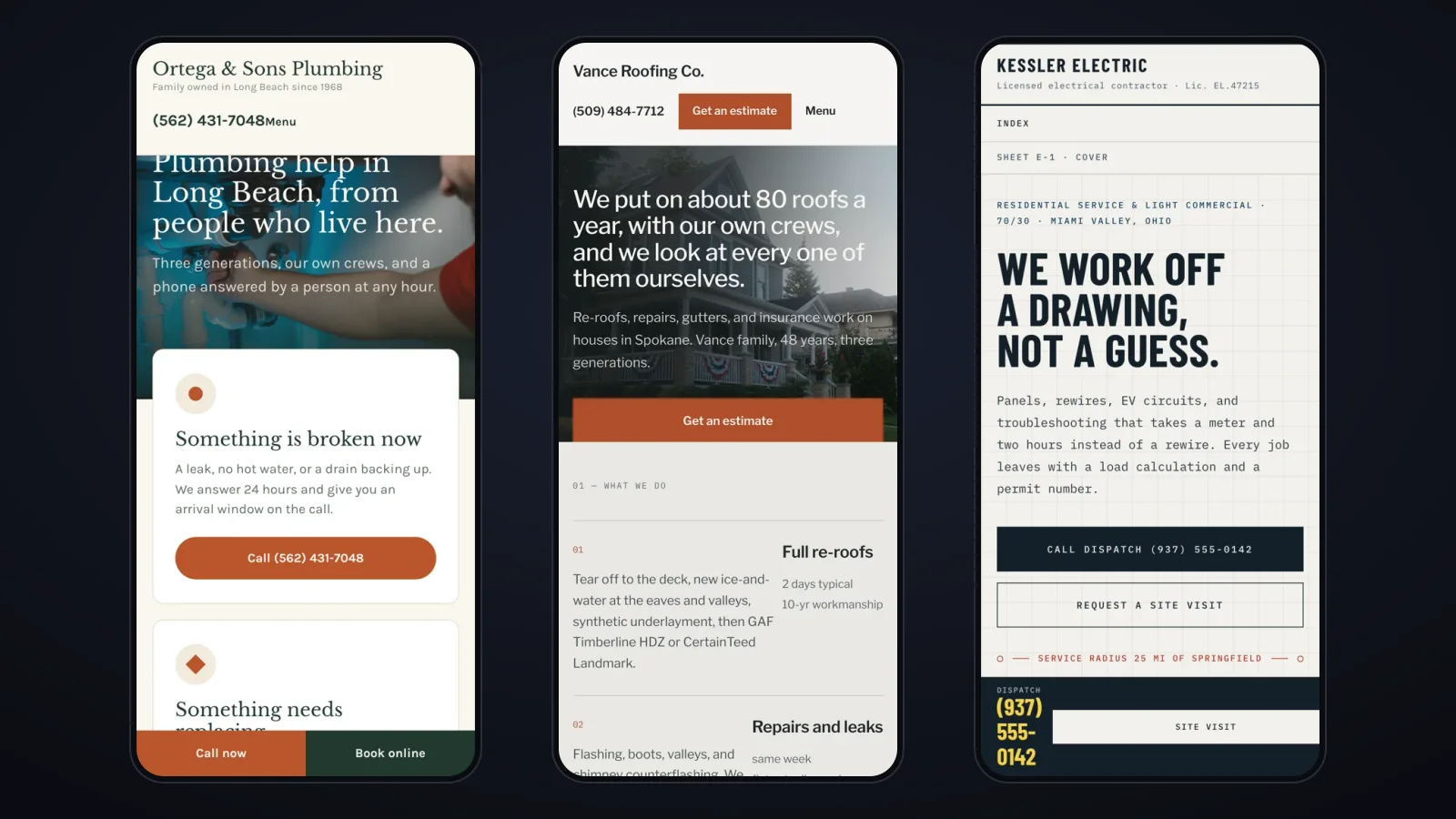
Assume the first visit happens on a phone, and design that version before the desktop one. Google does the same: it uses the mobile version of a site for indexing and ranking. In practice that means text you can read without zooming, a phone number you can tap, buttons a thumb can hit, and nothing important hidden in a menu three levels deep.
Keep the design plain. One typeface for headings and one for text, your brand colour used sparingly, and plenty of space around things. Sliders, autoplay video and pop-ups are where home-made sites most often go wrong. They slow the page down and push the phone number off the first screen, which is the opposite of what you decided the site was for in step one.
Then test the speed before you launch, on a phone and on mobile data, not on the office wifi. Our free website audit runs Google's own test on any address and shows the scores and what to fix first. Large photos that were never compressed are the usual cause of a slow page, and they are also the easiest thing to fix.
Step 7: Set It Up So Google Can Find It
A new website is invisible until Google knows it exists and understands what each page is about. Give every page its own title and description, written in plain words, that say what the page offers and where. Google's own SEO Starter Guide is short, free, and still the best first thing to read on the subject.
Then open two free accounts. Google Search Console is where you submit the site and later see which searches you appear for. A Google Business Profile is what puts you on the map and in the local results, and for a local business it matters as much as the website does. Make sure the name, address and phone number on the profile match the website exactly.
After that, ranking is ongoing work rather than a setting: reviews, service pages, and other local sites linking to you. Our local SEO step by step guide lays out what to do and in what order once the site is live.
Step 8: Test Everything Before You Tell Anyone
Before you announce the site, go through it the way a customer would, on a phone. Tap the phone number. Fill in the contact form and confirm the message arrives in an inbox that somebody actually reads. Open every link in the menu. Check that the padlock shows in the address bar. A form that quietly sends its messages nowhere is a fault that can sit unnoticed for years, because the only people who know about it are the customers who never heard back.
Set up analytics before launch rather than after, so that you have numbers from the first day and can tell later whether a change helped. If the new site replaces an old one, redirect every old page address to its new equivalent, so the links and the rankings you already had carry over instead of ending at an error page.
Then put a reminder in the calendar to look at the site again in a month. A website is not a brochure that gets printed once. Opening hours change, services change, and the sites that keep bringing in work are the ones somebody checks on a regular schedule.
Should You Build It Yourself or Hire Someone?
Build it yourself if the site is simple, money is tighter than time, and you do not mind this kind of work. A careful owner with a website builder and a few free weekends can make a decent five-page site by following the steps above. Budget the hours honestly, though: the writing, the photos, learning the tool, and fixing whatever breaks afterwards all come out of the same week you run the business in.
Hire it out when your time is worth more on the job, when the site has to bring in leads rather than simply exist, or when you have already built one and it is not being found. A standard small business site of five to ten pages takes us two to three weeks. Our web design packages are priced once rather than monthly, at $399 for a basic site, $999 for a startup site and $1,499 for a professional one, and you own the site and the code when it is finished.
Either way, the first two steps are yours and nobody else's. Decide what the website is for, and register the domain in your own name, before anyone builds anything. If you would like a second opinion on a site you have made, or a quote for one you would rather not make, get in touch and we will tell you honestly which route makes more sense for your business.
Anas designs, builds, and optimizes every website Web Liftz ships. He writes from what actually works across client projects in Orange County: local SEO, conversion-focused design, and fast websites that rank. More about the studio.
Ready to Elevate Your Online Presence?
Let's talk about your project. Get a free consultation and custom quote within 24 hours.