How to Track Website Leads with GA4 and Call Tracking in 2026
Learn how to track form fills, phone clicks, booked calls, and qualified leads using GA4, event-based measurement, and call tracking.
Why most businesses still do not know where their leads come from
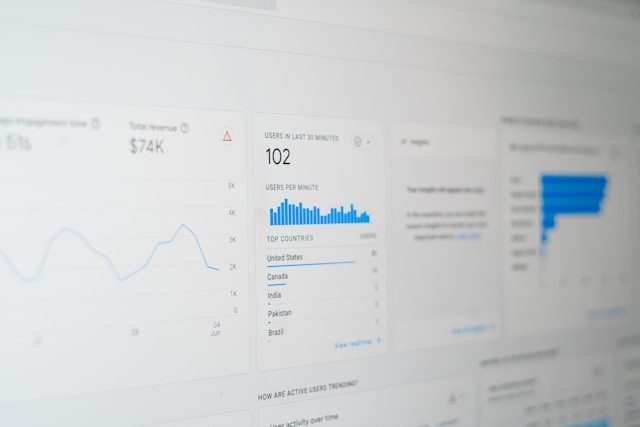
A lot of small businesses say they want more leads, but very few can clearly answer a basic question: which channel is actually generating them? If someone fills out your contact form, clicks your phone number, or books an appointment, you need to know whether that came from Google Search, your Google Business Profile, direct traffic, a social post, or a referral source.
That is where proper website lead tracking matters. Google Analytics 4 is built around event-based measurement, which makes it a much better fit for lead tracking than the old pageview-first model. Google's current GA4 documentation is a useful reference for how events work and how they can be sent or validated: GA4 Measurement Protocol documentation and GA4 event reference.
Without this kind of attribution, you end up making decisions based on gut feeling. You might increase your ad budget because traffic is rising, but you have no idea whether any of that traffic is converting into real business. You might redesign a page that is actually working fine while ignoring a broken form on the page that drives the most revenue. Lead tracking gives you the visibility to avoid those mistakes.
If you are still building the SEO side of your site before worrying about attribution, start with our SEO web design guide for Orange County businesses. If you are trying to improve local calls specifically, pair this article with our Google Business Profile optimization guide.
What counts as a lead on a business website
Before you track anything, define what a lead actually means for your business. For a local service business, a lead usually includes a contact form submission, a click-to-call interaction, a booked appointment, a live chat inquiry, or a quote request. For some companies, a lead might also include a pricing-page visit followed by a contact-page visit, but that is better treated as a micro-conversion instead of a true lead.
The most important rule is to separate high-value lead events from lower-value engagement events. Not every click is equal. A button click on a hero section is helpful to measure, but it is not the same as a completed form or a confirmed booking. This distinction matters because GA4 lets you mark important events as key events, which helps you focus reporting on real business outcomes instead of vanity metrics.
A common problem is tracking too many things at once without any hierarchy. When everything is treated as a lead, nothing is. You end up with a dashboard full of events that tells you nothing actionable. Start with the events that represent a real business opportunity and build from there. You can always add secondary engagement events later once your primary lead tracking is solid.
It also helps to align your lead definitions across marketing, sales, and your website. If your team considers a phone call a lead but your website only tracks form submissions, you have a gap. The goal is to make your website measurement match the way your business actually acquires customers.
The lead events every small business should track
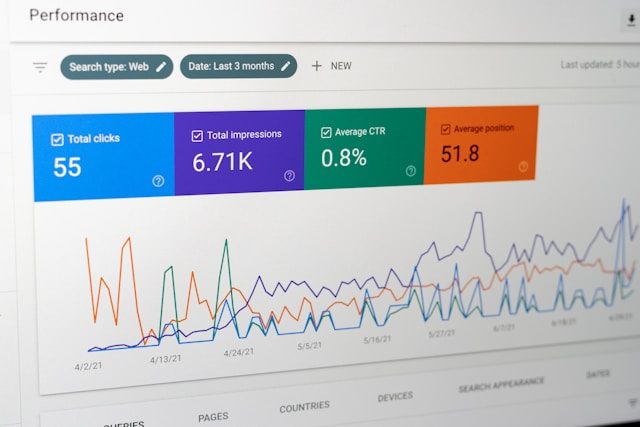
For most service-based websites, these are the lead events that matter most: form_submit, phone_click, book_appointment, quote_request, and thank_you_page_view. If you use live chat, add chat_start or chat_lead. If you use a scheduler, track booking_start and booking_complete separately so you can see where people drop off.
A practical way to structure this is to use a primary event for the actual lead and a secondary event for the step before it. For example, phone_click tells you someone tapped the number, while call_connected from a call tracking platform tells you the call actually happened. Form_start tells you someone engaged, while form_submit tells you they completed it.
Having this two-layer structure gives you a much richer understanding of your funnel. If you see a lot of form_start events but very few form_submit events, you know the form itself might be the problem. If you see high phone_click counts but low call_connected counts, there could be an issue with your phone setup, number display, or user intent.
You should also consider tracking micro-conversions that indicate intent without being a full lead. These include events like pricing_page_view, service_page_scroll, or portfolio_click. They will not show up in your lead reports, but they give you context about how users engage before they convert.
This is also why clear site structure helps analytics. If users cannot find your contact points, your tracking will show weak lead volume even if the underlying problem is bad UX. For conversion improvements, review our conversion rate optimization guide and our mobile-first design strategy article.
How to set up form tracking in GA4 the right way
The cleanest setup is to fire an event only after a form successfully submits. Avoid tracking a click on the submit button alone, because that can overcount failed submissions or validation errors. If your form redirects to a thank-you page, you can track both the pageview and a form_submit event. If the form submits inline with AJAX, trigger a dedicated success event once the form is confirmed.
Name events clearly and consistently. Use lowercase names with underscores, such as form_submit, quote_request, or consultation_booked. Consistent naming makes reporting much easier later. If you are using Google Tag Manager, this is usually the easiest way to deploy events without hardcoding them across the site. If your setup is custom, you can also send events through the GA4 event model or Measurement Protocol, depending on the use case.
One thing many businesses overlook is event parameters. GA4 allows you to send additional context with each event, such as the form type, the page it was submitted from, or the service category selected. These parameters make your data dramatically more useful because they allow you to segment conversions without having to create separate events for each variation.
For example, instead of creating separate events like form_submit_contact, form_submit_quote, and form_submit_booking, you can use a single form_submit event with a form_type parameter. That keeps your event structure clean while still giving you full segmentation power in your reports.
Another important consideration is deduplication. If a user submits a form and refreshes the page, you do not want the event to fire twice. Implement logic to prevent duplicate submissions, whether through session flags, form state tracking, or thank-you page redirect patterns.
Once your forms are being measured, make sure the pages driving that traffic are strong enough to convert. If your current site is dated or hard to use, read 5 signs your website needs a redesign.
How to track click-to-call leads
For local businesses, click-to-call tracking is essential. A lot of service businesses get more phone leads than form leads, especially on mobile. At minimum, every phone link on your site should fire a phone_click event when someone taps it. This gives you visibility into how often your phone CTA is being used.
But click-to-call events alone do not tell the whole story. Someone can tap a number and then hang up immediately or never complete the call. That is why dedicated call tracking software is helpful. Good call tracking platforms can assign a tracking number, attribute calls to source and campaign, and sometimes report call duration or answered calls. That makes your data far more useful than just counting tap events.
When choosing a call tracking solution, consider what level of attribution you need. Basic call tracking gives you a unique number per channel. More advanced setups provide keyword-level tracking, call recording, and CRM integrations that let you connect a phone lead all the way back to the search query or ad that drove the visit.
It is also worth testing the placement and design of your phone CTAs. A prominent click-to-call button in the mobile header typically outperforms a phone number buried at the bottom of a page. If you are not tracking phone interactions at all, you might be underestimating mobile's contribution to your lead volume by a significant margin.
If your phone leads depend heavily on local discovery, your call tracking should be reviewed alongside your local SEO setup and your Google Business Profile optimization.
How to attribute leads by source, campaign, and landing page
The biggest benefit of GA4 is not just counting leads. It is understanding where they came from. You should be able to answer questions like: Which blog post drives the most quote requests? Which city page produces the most calls? Does Google Business Profile traffic convert better than organic search traffic?
To do that, preserve source and campaign data with UTMs whenever appropriate. For example, if you link from your Google Business Profile to your contact page, use a tagged URL so you can separate GBP traffic from standard organic traffic. Google Analytics can then connect the lead event back to the session source and landing page, which makes it easier to see what is actually producing revenue.
UTM tagging is especially important for channels that GA4 might lump together. Social media links, email campaigns, directory listings, and partner referrals all benefit from explicit campaign tagging. Without UTMs, a significant portion of your traffic may show up as direct or unattributed, which defeats the purpose of tracking in the first place.
Landing page analysis is equally important. If you know that a specific service page converts at three times the rate of your homepage, you can prioritize driving traffic to that page. Conversely, if a high-traffic page produces zero leads, that is a signal that the page needs better calls to action or a clearer value proposition.
This becomes even more useful when paired with content strategy. If you are publishing articles to generate demand, read our content strategy for SEO guide and our Orange County website pricing guide to see how high-intent informational pages can feed lead generation.
Why thank-you pages are still useful in GA4
Even though GA4 is event-based, thank-you pages are still useful. They provide a simple confirmation step, they can trigger a clean conversion pageview, and they create a natural destination for ad platforms, CRM integrations, and retargeting audiences.
A thank-you page also lets you segment users who completed a lead action and direct them into the next step, such as a scheduler, a case study, or a service explainer. Just do not rely on the thank-you page alone if your forms can fail or submit asynchronously. The most reliable setup is a real success event plus a thank-you confirmation when possible.
From a user experience perspective, thank-you pages serve as reassurance. They confirm that the form worked, set expectations for response time, and provide next steps. A well-designed thank-you page can also reduce support inquiries by proactively answering common follow-up questions.
For ad platforms like Google Ads or Meta, thank-you page URLs are often the simplest way to define a conversion goal. While GA4 event imports offer more flexibility, thank-you page tracking is more universal and easier to verify. If you are running paid campaigns, having both a thank-you page conversion and an event-based conversion gives you redundancy and easier troubleshooting.
How to audit your lead tracking setup
A strong audit checks four things: whether the event fires, whether it fires only once, whether the event is marked correctly in GA4, and whether the source attribution survives the full conversion path. A lot of businesses think tracking is working because they see some events, but the setup is incomplete, duplicated, or missing the right attribution context.
Use the GA4 real-time and debug tools during setup, then verify the data in normal reports after enough traffic has accumulated. If you are using Measurement Protocol for server-side or CRM-connected events, validate those payloads and understand that some reporting behavior depends on how those events are tied back to sessions and identifiers.
A practical audit routine involves submitting a test form, clicking your phone number, and completing any other lead action on the site while watching the real-time report in GA4. Check that each event appears exactly once, that the correct page and source are attached, and that no duplicate or phantom events show up.
You should also verify that key events are marked properly in the GA4 admin. Events that are not marked as key events will not appear in many default reports or be available as conversion goals in connected platforms. This is one of the most common oversights in GA4 setups, and it often goes unnoticed because the event still fires, but it just does not show up where it matters.
If the site itself is underperforming, pair your audit with our page speed guide because slow contact pages and bloated mobile layouts often suppress leads before tracking ever becomes the problem.
The setup that gives you usable reporting, not just more data
The goal of lead tracking is not to collect more events. It is to make better decisions. A usable setup usually includes a short list of core lead events, clean names, source tagging, call tracking where needed, and a reporting view that compares landing pages, channels, and lead types.
If you are a service business, the most practical questions are simple: Which pages generate leads? Which channels generate qualified leads? Which pages get traffic but fail to convert? Once you can answer those, you can improve your site with confidence instead of guessing.
Consider building a simple monthly reporting cadence around your lead data. A quick review of your top lead-generating pages, your conversion rate by channel, and any underperforming pages that should be converting but are not will give you more actionable insight than a complex dashboard you never look at.
The difference between businesses that grow online and those that stall is usually not traffic. It is clarity. When you can see exactly where leads come from and what pages drive them, every marketing dollar becomes more efficient and every design decision becomes data-informed.
If you want help reviewing your current setup, request a website audit. We can look at your site structure, calls to action, GA4 setup, and local search visibility together. For technical site improvements that support better tracking and better conversions, see our Orange County web design services.

Anas designs, builds, and optimizes every website Web Liftz ships. He writes from what actually works across client projects in Orange County: local SEO, conversion-focused design, and fast websites that rank. More about the studio.
Ready to Elevate Your Online Presence?
Let's talk about your project. Get a free consultation and custom quote within 24 hours.